/ Guide
Add it to your home screen.
You can add creatorbox to your phone's home screen like a normal app. It opens full screen, loads faster, and is one tap away. Takes about half a minute.
iPhone · Safari
On iPhone
- 1Open your creatorbox page in the Safari browser.
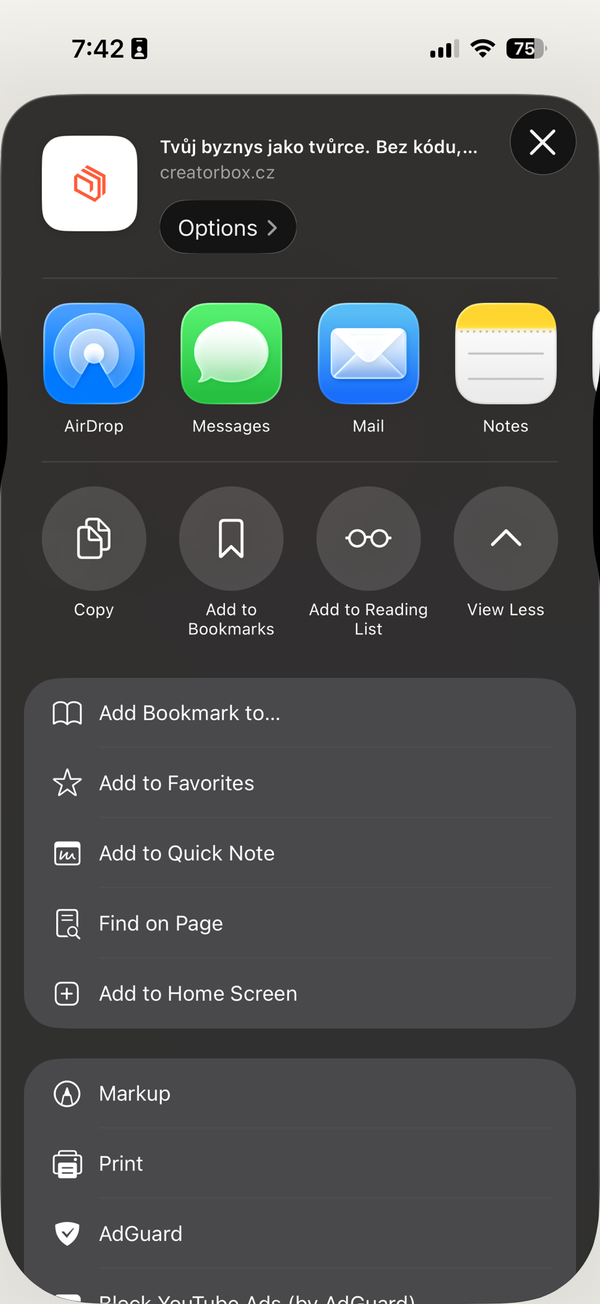
- 2Tap the Share icon at the bottom center (a square with an up arrow).
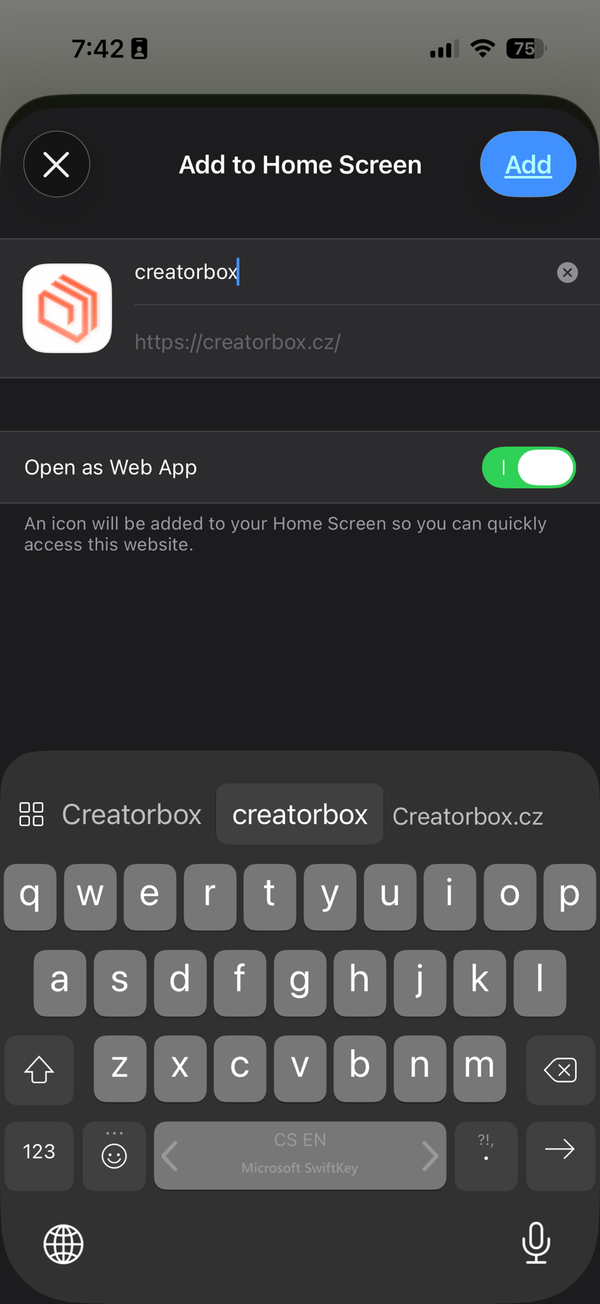
- 3Scroll down the menu and choose "Add to Home Screen".
- 4Confirm with "Add" in the top right.
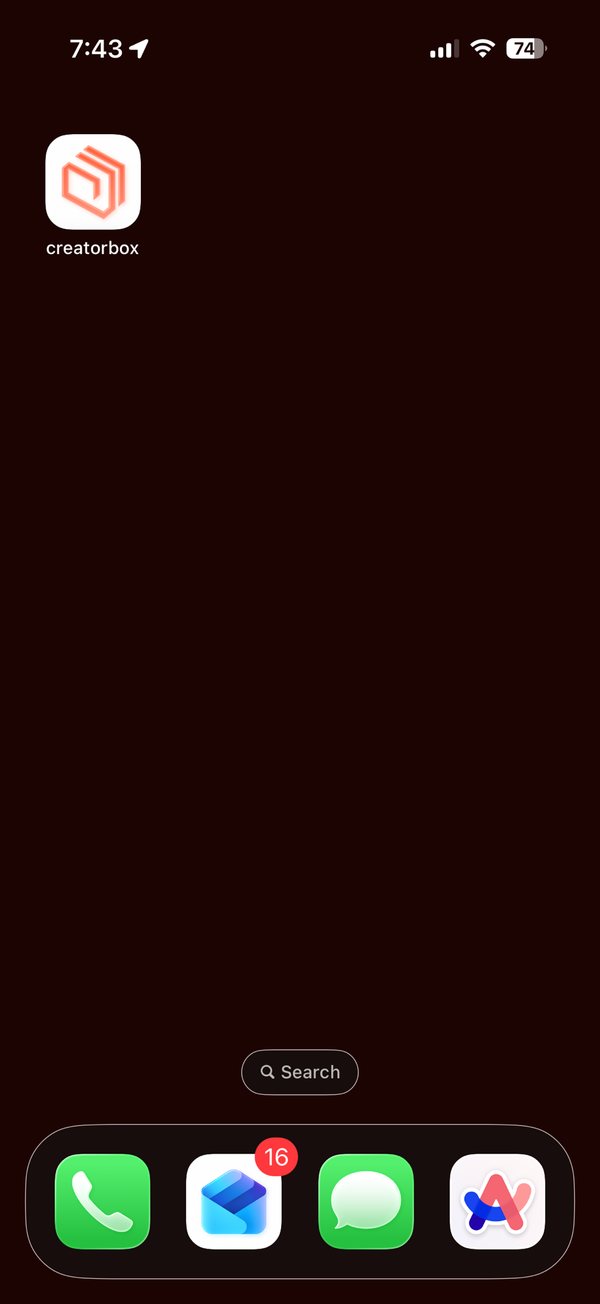
✦The icon appears on your home screen like an app.
Android · Chrome
On Android
- 1Open your creatorbox page in the Chrome browser.
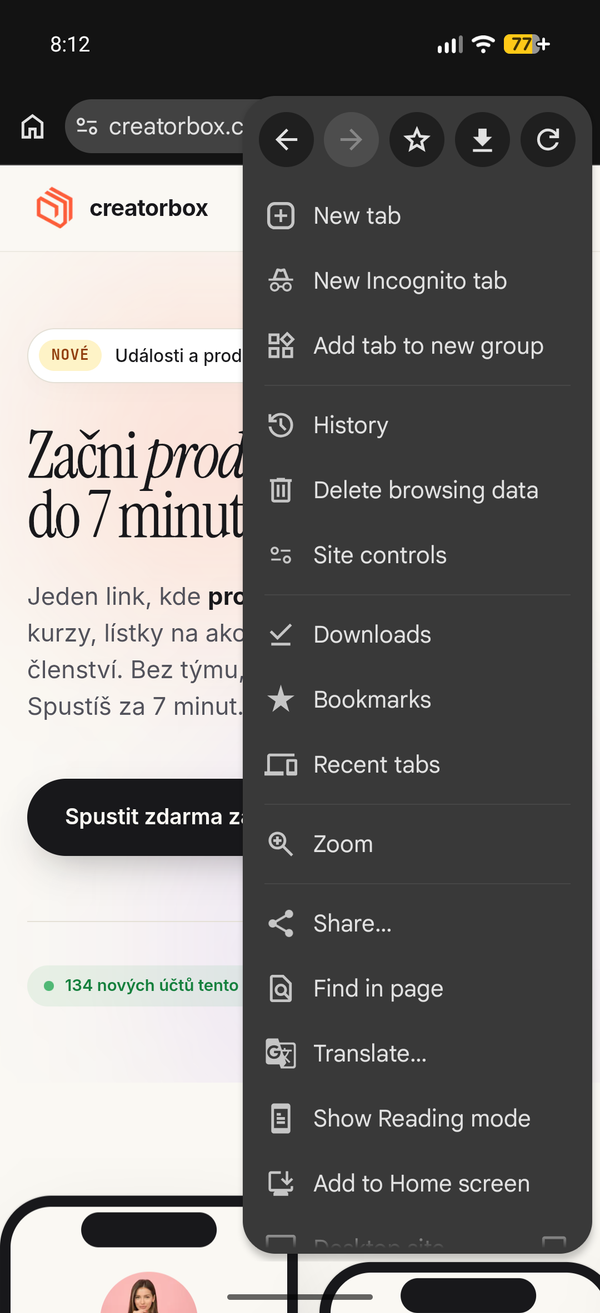
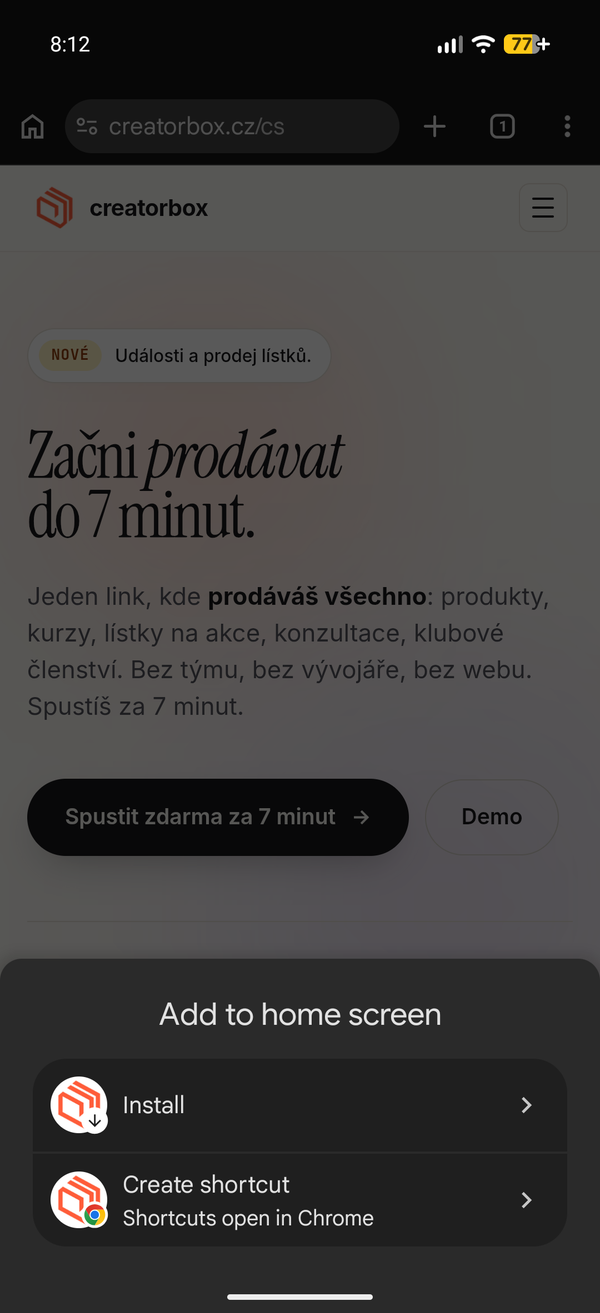
- 2Tap the three-dot menu in the top right and choose "Add to Home screen".
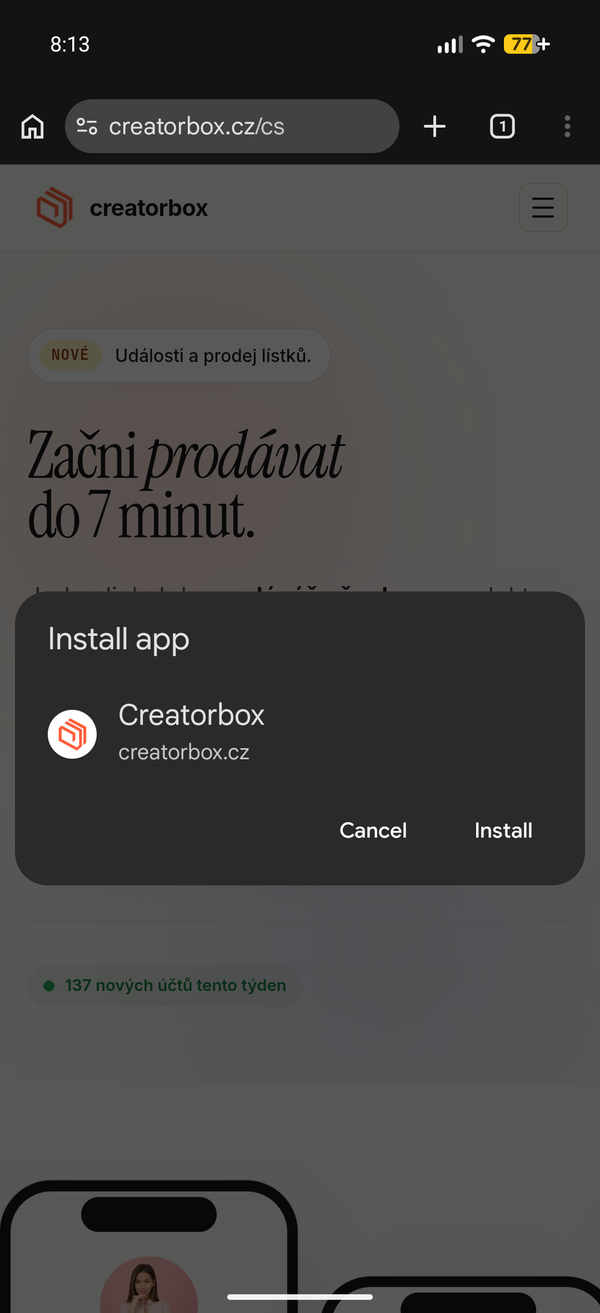
- 3Choose "Install" in the menu.
- 4Confirm with "Install".
✦The icon appears on your home screen like an app.
🔔
Want notifications?
On iPhone, notifications only work after you add the app to your home screen. Once installed, you can turn on notifications for new messages, sales and bookings in your account.